Skip to content
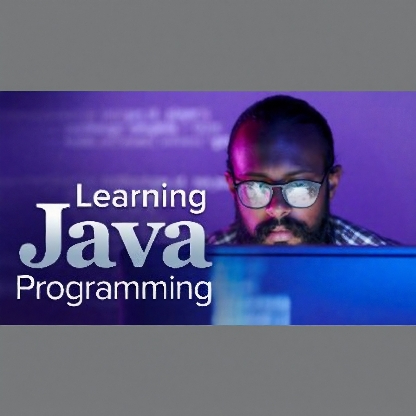
Learning Java Programming
Original price was: $39.99.$7.99Current price is: $7.99.
Demystify the complexities of the Java programming language and gain powerful new skills for understanding—even possibly creating—the machines and apps that dominate our lives. A powerful and pervasive programming language, Java is responsible for telling computer programs what to do, how to do it, and when to do it. These 36 lessons teach you how to write computer programs in Java and expose you to how everyday programmers use this language to build desktop graphical user interfaces and mobile applications for Android devices.
Learning Java Programming
Overview
Demystify the complexities of the Java programming language and gain powerful new skills for understanding—even possibly creating—the machines and apps that dominate our lives. A powerful and pervasive programming language, Java is responsible for telling computer programs what to do, how to do it, and when to do it. These 36 lessons teach you how to write computer programs in Java and expose you to how everyday programmers use this language to build desktop graphical user interfaces and mobile applications for Android devices.
You’ll start with a look at the internal mechanics of how the Java compilation process works. Along the way, you’ll explore how Java compiles code into bytecode, learn the building blocks of Java by looking at Java’s code structure and basic syntax, and take control of the dynamic nature of Java programs by using conditional statements. From there, dive into a different realm of Java programming: object-oriented programming (OOP), where you’ll write your first Java object blueprint (class) and create an actual Java object. You will also learn how to construct classes with safe mechanisms that maintain their integrity. In a series of lessons, Dichone introduces you to Android mobile app development. Here, you’ll use your Java skills to work with the main Android building blocks and user interface widgets, structure and design Android user interfaces, and build your very own Android app.
Equal parts authoritative and accessible, these lessons are essential viewing for programmers of all levels of experience—and for anyone who uses their phone or computer to shop, pay, play, watch, learn, and thrive.
Course Lessons
01: Welcome to Java!
Discover what makes Java one of the most popular programming languages out there. After an overview of how Java works, learn the meanings and applications of terms like Java Virtual Machine, integrated development environment, and Java bytecode.
Duration: 7 min
02: Choose an Integrated Development Environment
Think of integrated development environments (IDEs) as code editors with everything programmers need to write code. Get insights into three IDEs: IntelliJ IDEA, NetBeans, and Android Studio.
Duration: 8 min
03: Installing Android Studio for Mac
For Mac users: Discover how to properly install Android Studio—the tool you’ll be using to learn Java and, later in the course, build an Android app. This lesson covers the step-by-step installation process.
Duration: 6 min
04: Installing Android Studio for Windows
For Windows users: Discover how to properly install Android Studio, the tool you’ll be using to learn Java and, later in the course, build an Android app. This lesson covers the step-by-step installation process.
Duration: 16 min
05: Create Your First Java Program!
Crack your knuckles and get ready to create your first Java program inside Android Studio. Learn how to build a program that prints out specific messages: “Hello World” and “Java programming is fun!”
Duration: 8 min
06: Java Code Structure, Syntax, and main Method
Take a closer look at the “print” program you created in the previous lesson. Topics include package keywords, classes, and the critical importance of basic syntax for your code to run properly.
Duration: 7 min
07: Declaring Variable Types: int and String
Variables are essential in computer programming because they make it easier for programmers to output data. Learn how to declare and specify String and int (integer) variables.
Duration: 13 min
08: Concatenating Variables in Java
The act of putting strings together into one long string is known as concatenation. Exercises include creating several String and int variables and writing a short story about yourself using variables in Java.
Duration: 6 min
09: Primitive Variable Types: boolean and char
Learn about the boolean primitive, which can hold either 1 or 0 (true or false), and the char primitive, which represents one character only.
Duration: 10 min
10: Primitive Variable Types: byte, short, and long
Explore additional primitive variable types. A byte holds eight bits, a short holds 16 bits, and a long, at 64 bits, is best for larger numbers.
Duration: 8 min
11: Primitive Variable Types: float and double
Learn how to express decimal numbers using float (for a few decimal places) and double (for more precision).
Duration: 6 min
12: Java Operators and Operator Precedence
Understanding how operator precedence works in Java is crucial. Learn how to effectively work with mathematical operators like +, *, /, and %.
Duration: 35 min
13: The while Loop in Java
Loops help programs repeat tasks until a final condition is met. Learn how to build and use while loops in your program.
Duration: 9 min
14: Java Branching Statements: if, if-else, and else-if
Learn how to branch programs using if, if-else, and else-if statements to evaluate conditional expressions and decide what to run.
Duration: 14 min
15: Multiple Branches with the Java switch Statement
In programming cases with more than two possible conditions, a switch statement can test for a variety of different conditions and respond accordingly.
Duration: 14 min
16: The do-while Loop and the for Loop in Java
Gain familiarity with do-while and for loops. The former executes statements at least once, while the latter repeats a section of a program a fixed number of times.
Duration: 14 min
17: Arrays in Java
Learn to think of arrays in Java as containers that hold smaller containers. Explore how to master their flexibility in programming.
Duration: 25 min
18: Creating Objects in Java
Explore the components that go into creating objects, from creating a blueprint (class) to using “methods” to express particular object “behaviors.”
Duration: 10 min
19: Class Constructors in Java
Constructors are methods that construct your object. Take a closer look at how to work with constructors using the same code from the previous lesson.
Duration: 9 min
20: Methods: Passing Arguments, Returning Values
Learn how to work with important method-related keywords like main, public, static, and void through several helpful exercises.
Duration: 13 min
21: Java Getters and Setters
Discover how getters and setters can protect your classes from programming mistakes and how to set up your class properties securely.
Duration: 14 min
22: Using the String Class as a Reference Type
Explore the nuances of using the String class as a reference type in your coding work.
Duration: 14 min
23: Java Inheritance: Overriding Parent Methods
Discover how to override behaviors of the parent class (the super class) so that your subclass implements its own version of that behavior.
Duration: 20 min
24: Java Inheritance: Invoking Parent Methods
Learn how to invoke your superclass’s method inside of a subclass using the super keyword.
Duration: 9 min
25: The Java Class Library
Explore the Java Class Library and discover the beauty of having a library of usable classes you can plug into your own classes.
Duration: 17 min
26: Java ArrayList and Object-Oriented Pros and Cons
Learn about ArrayList: a data structure that holds objects of the same class and can grow or shrink in size at any time.
Duration: 17 min
27: Java Swing: Create a Simple User Interface
Discover how easy it is to create user interfaces with Java Swing and the Abstract Window Toolkit.
Duration: 17 min
28: Adding Buttons and Event Listeners
Learn how to attach components to an ActionListener in Java Swing to react to click events on buttons.
Duration: 10 min
29: Java Swing: BorderLayout
Explore the capabilities of the layout-manager class known as BorderLayout when creating user interfaces in Java Swing.
Duration: 10 min
30: Java Swing: FlowLayout
Learn how FlowLayout aligns components horizontally and creates new rows as needed.
Duration: 8 min
31: Java Swing: BoxLayout
Understand how to use BoxLayout to stack components on top of each other or place them in a row.
Duration: 9 min
32: Java Swing: Build a Fun Graphical User Interface
Build a fun Java Swing graphical user interface (GUI) application that changes the color of a circle each time you click on the frame.
Duration: 25 min
33: Android Studio: Setup, Emulator, and First App
Learn how to work with project templates, choose the right libraries, and set up emulators to test your apps as you develop them.
Duration: 13 min
34: Android Project Structure
Take a close look at the structural sides of your Android project, separating the user interface (UI) from the logic (Java code).
Duration: 27 min
35: Android EditText and the strings.xml File
Enable users to add input to your app so that when a button is clicked, the app will show what they’ve entered.
Duration: 20 min
36: Build an Inspiring Android App
Create an app that randomly shows an inspirational quotation onscreen when the user clicks a button.
Duration: 39 min
Related products






Courses