Skip to content
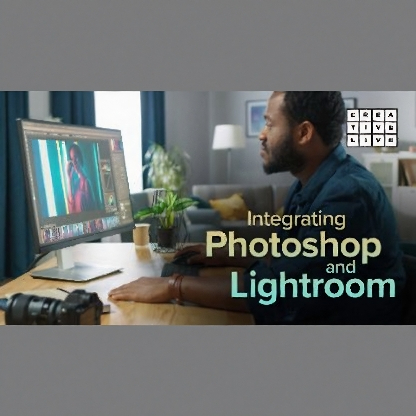
Integrating Photoshop and Lightroom
Original price was: $19.99.$4.99Current price is: $4.99.
Watch now – this video will only be available on The Great Courses Plus until November 7th. Ben Willmore will show you how to “round trip” your images from Lightroom to Photoshop and back again, so you can reap the benefits of both of these sets of tools. On their own, Adobe Photoshop and Adobe Lightroom are powerful programs. But together, they can help you achieve amazing things with your images. In this course, Ben Willmore will show you how to “round trip” your images from Lightroom to Photoshop and back again, so you can reap the benefits of both of these sets of tools. You’ll learn to make a second round of adjustments in Lightroom without having to flatten your image, and you’ll discover which features are best used in Lightroom and which should be reserved for Photoshop.
Integrating Photoshop and Lightroom
Overview
Watch now – this video will only be available on The Great Courses Plus until November 7th. Ben Willmore will show you how to “round trip” your images from Lightroom to Photoshop and back again, so you can reap the benefits of both of these sets of tools. On their own, Adobe Photoshop and Adobe Lightroom are powerful programs. But together, they can help you achieve amazing things with your images. In this course, Ben Willmore will show you how to “round trip” your images from Lightroom to Photoshop and back again, so you can reap the benefits of both of these sets of tools. You’ll learn to make a second round of adjustments in Lightroom without having to flatten your image, and you’ll discover which features are best used in Lightroom and which should be reserved for Photoshop.
Course Lessons
01: Class Introduction
Class Introduction
Duration: 7 min
02: Setup Lightroom External Editing Settings
Setup Lightroom External Editing Settings
Duration: 20 min
03: Editing Copy In Lightroom
Editing Copy In Lightroom
Duration: 16 min
04: Edits In Lightroom
Edits In Lightroom
Duration: 14 min
05: Edits In Photoshop
Edits In Photoshop
Duration: 12 min
06: Using Smart Objects
Using Smart Objects
Duration: 7 min
07: Additional Lightroom And Photoshop Tips
Additional Lightroom And Photoshop Tips
Duration: 11 min
Related products

By Area