Skip to content
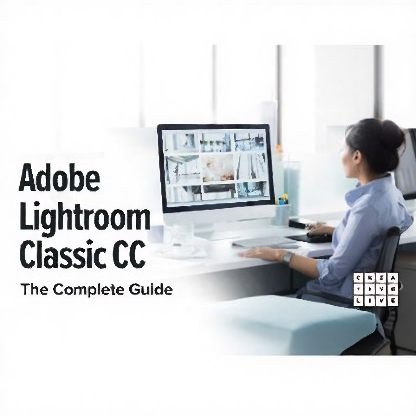
Adobe Lightroom Classic CC: The Complete Guide
Original price was: $69.99.$22.99Current price is: $22.99.
Join Ben Wilmore, a Photoshop Hall of Fame member, for a comprehensive guide to Adobe Lightroom Classic CC. This course covers everything from importing images and customizing your workspace to advanced editing techniques and troubleshooting.
Overview
Course No. 80080
Join Ben Wilmore, a Photoshop Hall of Fame member, for a comprehensive guide to Adobe Lightroom Classic CC. This course covers everything from importing images and customizing your workspace to advanced editing techniques and troubleshooting.
Video Lesson List
1. Bootcamp Introduction and Overview
Get started with Lightroom basics and understand the differences between Lightroom CC and Classic.
83 min
2. Importing Images and Customizing Lightroom
Learn to import images and tailor your Lightroom workspace to suit your needs.
101 min
3. Understanding Catalogs and File Management
Explore Lightroom catalogs and file management strategies for efficient photo organization.
68 min
4. Baseline RAW Image Adjustments
Master basic RAW adjustments in the Develop module and understand Lightroom’s editing tools.
89 min
5. Creating Finalized Files and Printing
Turn edited previews into finalized files and learn about printing options within Lightroom.
89 min
6. Organizing Your Images and Managing Projects
Use Collections and Smart Collections to organize images and manage projects efficiently.
79 min
7. Making Your Images Searchable with Keywords
Learn how to add and use keywords for quick image retrieval.
51 min
8. Image Adjustment Techniques
Explore advanced editing tools like sharpness, noise reduction, and distortion correction.
99 min
9. Fine-Tuning Your Image
Delve into hue, saturation, luminance adjustments, and more for perfecting images.
78 min
10. Adjustment Workflow: BW, HDR, and Panoramas
Master black-and-white conversion, HDR merging, and panorama stitching.
77 min
11. Facial Recognition and Map Viewing
Learn about Lightroom’s facial recognition feature and how to use the Map module.
39 min
12. Showcasing Your Work: Slideshows and Books
Create slideshows and photo books directly in Lightroom.
87 min
13. Organizing Your Keywords
Organize keywords for efficient searching and categorization.
49 min
14. How to Find Any Image Quickly
Utilize Lightroom’s powerful search tools to quickly locate specific images.
56 min
15. Lightroom to Photoshop and Back
Learn how to seamlessly integrate Lightroom and Photoshop workflows.
62 min
16. Image Adjustments: Start-to-Finish Workflow
Watch a complete editing process from start to finish.
67 min
17. Basic Troubleshooting
Address common Lightroom issues with practical troubleshooting tips.
56 min
18. Advanced Tips and Tricks
Discover advanced techniques to maximize your Lightroom usage.
63 min
19. Workflow Refinement and Final Summary
Refine your workflow with final tips and tricks before concluding the course.
62 min
Related products



Courses